Feature walkthroughs
Short walkthroughs with made-up names. Each plays by itself in about a minute, or you can step through at your own pace.
Try the live demo → No login needed. Sample clinic, nothing to set up.
Watch the videos
Short videos, with made-up names. Each one links to its guide page.






Step-by-step walkthroughs
Getting started
From the free trial to your first staff invite: setup code, creating your clinic account and the starter data you get on day one.
Watch the walkthrough →Fridge temperature logs
Print the QR code, staff log the temperature in about 15 seconds, and get an email if a reading is out of range.
Watch the walkthrough →Weekly roster
Add your staff, import the roster from a spreadsheet and everyone sees the current version.
Watch the walkthrough →Week ahead
See who is in and away, renewals coming up, leave compared with last month and last year, and a 52-week view of staffing.
Watch the walkthrough →Bills and invoices
Track what you owe and what is owed to you, with a list or calendar and reminder emails.
Watch the walkthrough →Tasks and actions
Assign tasks with due dates, staff see their own, and routine jobs repeat on a schedule.
Watch the walkthrough →The SOS button
One tap texts and emails the two people you choose and shows a banner on colleagues’ screens. Not a monitored alarm; never calls 000.
Watch the walkthrough →Crisis Playbook: closed building
A fire, smoke or flood shuts the practice for weeks: first steps, stock and records, keeping care going, and making the move official.
Watch the walkthrough →Booking guide
Write a booking scenario once and reception knows what to book, what it costs and what to say.
Watch the walkthrough →Adding new staff
Invite a new staff member, give them a role checklist and enter their credentials.
Watch the walkthrough →Meeting agendas and minutes
Plan the meeting, automatic reminders before and after, staff add their own items, record minutes, turn actions into tasks, see who has read them and print a register.
Watch the walkthrough →Staff compliance
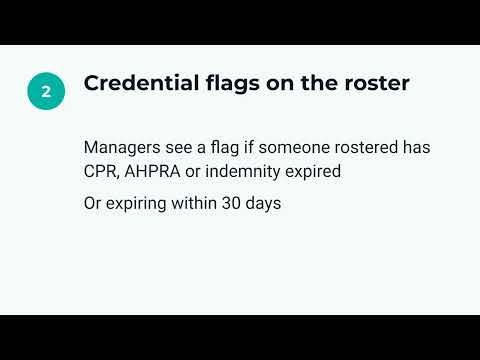
Record CPR, AHPRA and indemnity expiry dates, see who needs attention at a glance, get email alerts and print a one-page summary.
Watch the walkthrough →Staff check-in
Enable the QR check-in, print and place the codes, staff scan to clock on and off, and see fortnightly totals you can check against Xero Me.
Watch the walkthrough →Key dates and reminders
Add subscription renewals, equipment services and compliance deadlines; colour-coded urgency shows what needs attention soon; snooze from your Overview.
Watch the walkthrough →Leave requests
Staff request leave, the practice manager approves or declines in one tap, and Week Ahead shows coverage gaps before they become a problem.
Watch the walkthrough →Equipment register
Add equipment with its location and next service date, search for it by name in a hurry, and let nurses and reception view it without admin access.
Watch the walkthrough →Consumables and stock scanning
Print a QR label for each shelf, scan with any phone to log used or received stock, track batches by expiry date, and get a low-stock alert before you run out.
Watch the walkthrough →Recurring tasks
Create a recurring task template, pick a cadence, and let clinic-admin generate each due task automatically — fridge checks, cleaning schedules, compliance checks.
Watch the walkthrough →Or start a 14-day free trial. After the trial it is A$55 per clinic per month, with no contract.